Step 1 of 4
Find the Boom Logic Agent icon
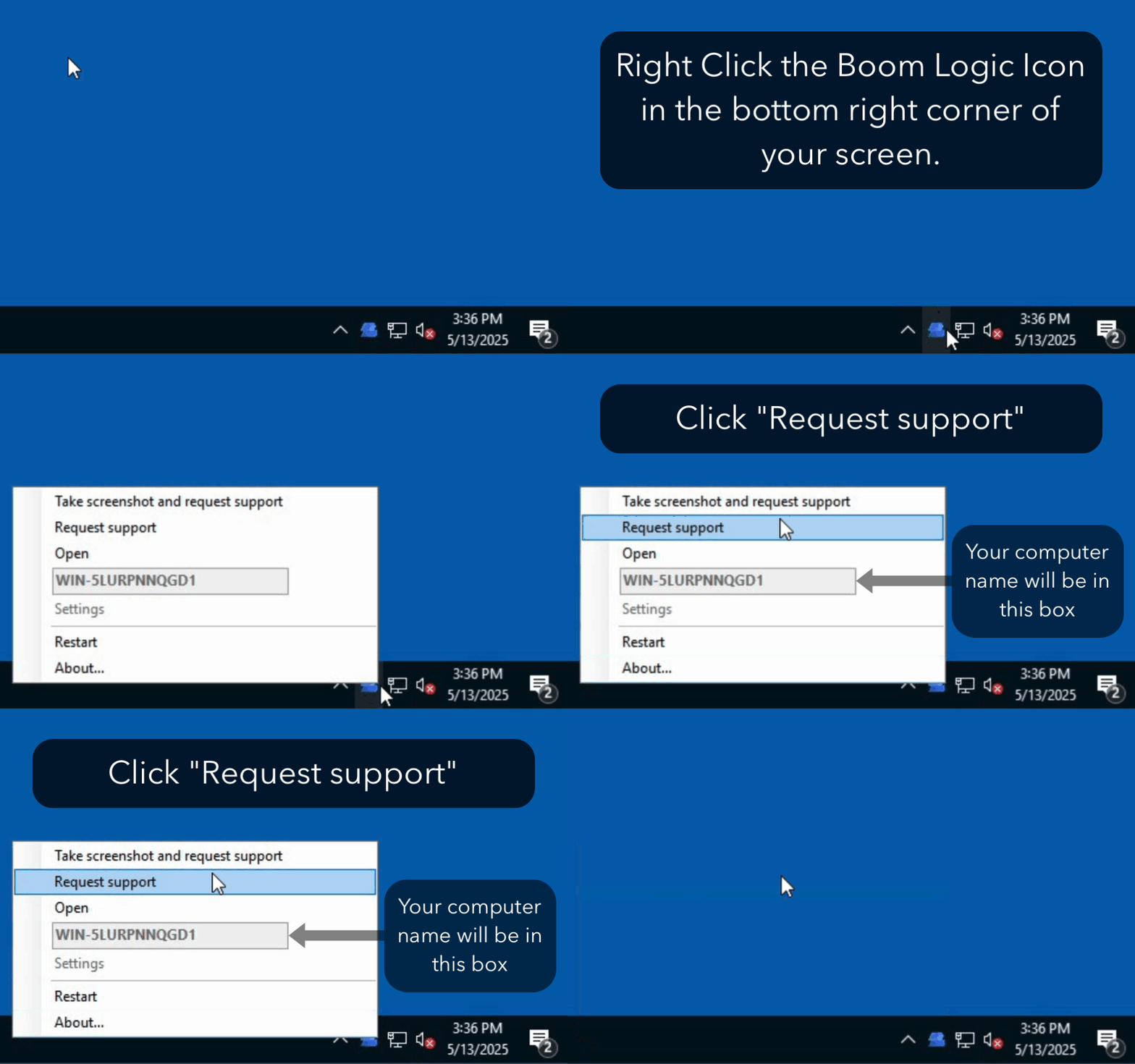
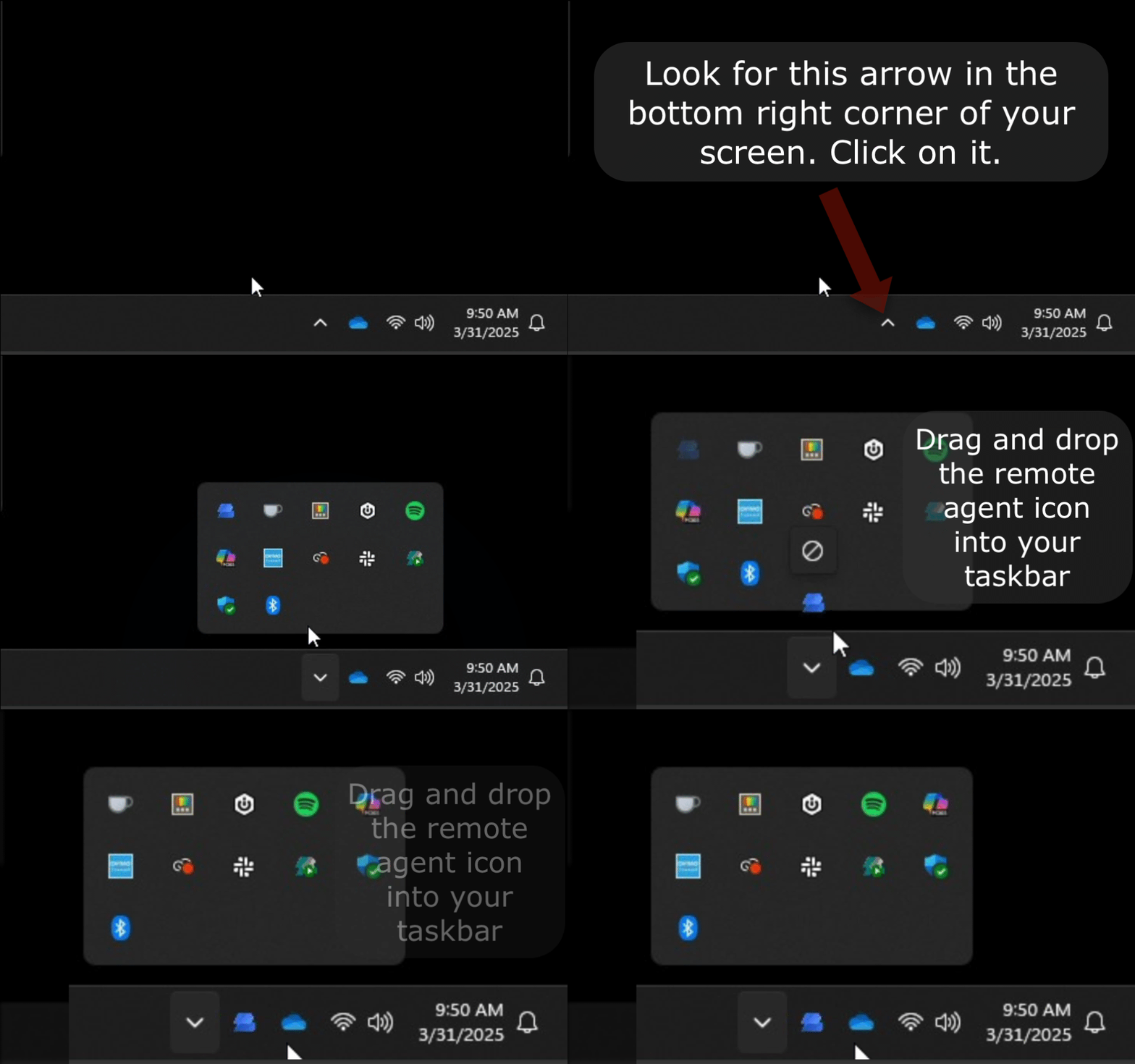
Look at the bottom-right corner of your screen, next to the clock. The icon is in the system tray.
Windows may be hiding it. Click the up arrow in the system tray to show the hidden icons.
Step 2 of 4
Open the support form
Right-click the Boom Logic Agent icon, then click Request support.
Right-click means pressing the right mouse button, or the right side of your trackpad.
Step 3 of 4
Fill out the form
Complete these four fields. You can also attach screenshots.
A short title for the problem.
Tell us what is wrong. Try to include:
- What is happening
- When the issue started
- What you were doing when it occurred
- Any error messages you see
- What you have already tried
Your full name, as it appears in company records.
Your work email. We send ticket updates here.
Click Choose File and select screenshots of the problem. They help us solve your issue faster.
You can attach up to 3 images, 5 MB each. Good choices show an error message or the screen where the problem happens.
Step 4 of 4
Submit your request
Check your details, then click Submit.
All done
Now watch your email
Our support team will reply to the email address you entered. Please make sure your email address and phone number are correct, because we use them to send you updates.
- Select option 1, then option 1 again.
- Have your ticket number ready.